You can upload transformations in bulk using an MS Excel file. You can either use an existing MS Excel file or a template to upload transformations. Ensure that the MS Excel file follows the correct template.
To upload transformations, follow these steps:
- In the Workspace Mappings pane, click the Transformations node.
- Click
 .
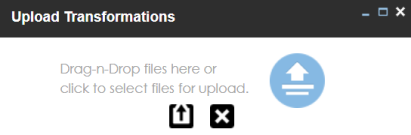
. - Drag and drop or use
 to browse and select the MS Excel file.
 - Click
 .
.
The Transformation Details page appears.

The Upload Transformations page appears.
You can use a template to upload transformations. For more information on downloading templates, refer to the Downloading Templates section.
The file is uploaded, and transformations are added to the Transformation Details page.
Downloading Templates
To download templates, follow these steps:
- In the Workspace Mappings pane, right-click the Transformations node.
- Click Download Template.
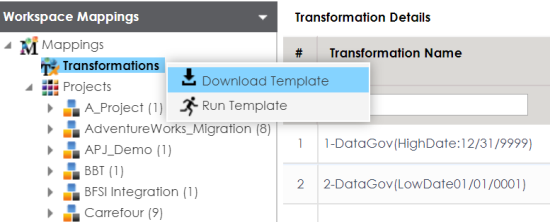
The template is downloaded in the XLSX format. You can update the MS Excel file with the required transformations.